Anúncios
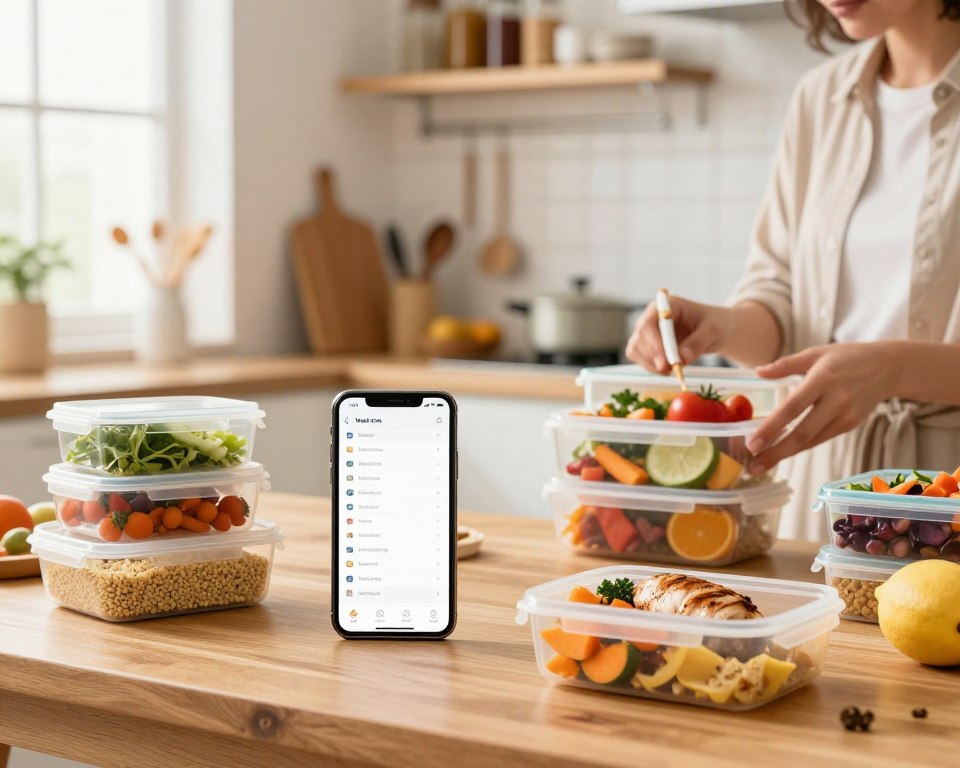
You’re about to get an at-a-glance guide to the kitchen meal planning apps reshaping how you plan, shop, and cook this week and beyond. This intro shows what each tool does best so you can choose faster and waste less time testing tools that won’t fit your routine.
From recipe clipper tools to pantry trackers and Fitbit sync, the top names deliver clear wins. Paprika makes saving recipes easy. Mealime focuses on quick dinners that link to Amazon Fresh and Instacart. PlateJoy, Eat This Much, Prepear, MealPrepPro, BigOven, MealBoard, Whisk, and Cooklist each solve a specific pain point.
In the next sections you’ll see which app saves time on weeknights, cuts costs, or helps hit nutrition goals. You’ll also learn where free features suffice and when a paid tier truly adds value. Use this guide to pick the right plan and make your week simpler and smarter.
Why kitchen meal planning apps are changing how you cook today
The newest meal services automate grocery lists, show prices, and track your pantry so you spend less time and money.
Your intent: save time, cut costs, eat better
You want a planning experience that saves time, trims your grocery bill, and helps you eat better. Today’s tools do all three by automating the grind.
Anúncios
They turn saved recipes into instant shopping lists and push orders to retailers like Amazon Fresh, Instacart, Walmart, Kroger, or Shipt.
What “present” means for meal planning tech
- Auto lists & delivery: Send your shopping list to delivery services and skip the store.
- Nutrition & filters: Get calories, diet templates (keto, paleo, vegan), and recipe-level nutrition.
- Pantry tracking: Barcode scanning and expiration alerts reduce waste and cost.
- Integrations: Sync with calendars and wearables so your food choices stay on track.
| Feature | Benefit | Common Integrations |
|---|---|---|
| Auto shopping list | Saves time, fewer impulse buys | Instacart, Amazon Fresh, Walmart |
| Nutrition info | Helps you meet calorie and macro goals | In-app calculators, fitness trackers |
| Pantry & expiry | Cuts waste and overall cost | Barcode scanner, fridge inventory |
How we selected the best meal-planning apps for you
We tested each tool against real tasks so you can pick one that fits your week.
Our scoring focused on four pillars: core features, ease of use, subscription cost, and U.S. availability.
Anúncios
Dietary options, grocery integrations, and recipe management
We checked nutrition depth from simple per-recipe facts to full calorie and macro targets. PlateJoy’s nutritionist plans and MealPrepPro’s batch macros weighed heavily.
We tested grocery links to Instacart, Amazon Fresh, and major retailers. Smart lists and pantry expiry (Cooklist, MealBoard) earned higher marks for real-world convenience.
Who each tool works best for
- Solo cooks: Lightweight interfaces and quick plans like Mealime.
- Families: Shared lists, calendar sync, and retailer delivery support.
- Preppers & batch cooks: Macro-driven plans and leftovers features (MealPrepPro, BigOven).
We balanced recipe importing (Paprika) and community catalogs (Prepear, Whisk) against how each app helps you work through a busy week.
Paprika: best overall for flexible planning and powerful recipe management
If you want full control over your recipe collection and a simple way to build weekly plans, Paprika makes that easy. It focuses on letting you save exactly what you want and arrange it the way you cook.
Standout features include a fast recipe clipper, custom categories, and cloud sync across devices. You can import recipes from sites with the clipper and build a personal cookbook in minutes.
- You’ll organize recipes with custom folders like “30 Minutes” or “Kids’ Favorites.”
- Edit notes, scale servings, and convert metric/imperial automatically to match your plan.
- Create a drag-and-drop plan for the week or month using only the recipes you want to cook.
- Generate a consolidated grocery list from your plan, then add household items without switching tools.
- Sync across devices so your plan and list stay current wherever you are.
Limitations: Paprika has no built-in recipe database or nutrition calculator. Nutrition only shows if the original recipe included it.
You can start on the free version and store up to 50 saved recipes, then upgrade as your collection grows. If you prefer hands-on control over recipes, this app is hard to beat.
Mealime: best for time-crunched weeknight cooking
If weeknights feel rushed, Mealime trims steps so you get dinner on the table faster.
Under-30-minute recipes, curated plans, and a hands-free cook mode keep the process simple. You pick a preference, and the app builds a week of fast recipes you can actually follow.
Under-30-minute recipes, curated plans, hands-free cooking mode
Mealime focuses on short cook times and clear steps. You can adjust servings for two, four, or six so leftovers and portions stay predictable.
Shopping lists export to Amazon Fresh or Instacart for easy grocery delivery. That saves trip time and keeps your shopping organized.
- Diet filters: Keto, paleo, vegan options are built in, so you won’t waste time filtering.
- Hands-free mode: Advance steps without touching your phone mid-cook.
- Pro trade-offs: More recipes, nutrition, calorie filters, saved plans, and notes sit behind Pro.
- Limit: Manual recipe entry isn’t supported—you rely on Mealime’s curated collection.
You’ll love Mealime if you want a clean, guided experience that helps you plan fast and spend less time at the stove.
PlateJoy: best for weight loss and nutritionist-designed plans
PlateJoy uses a 50-point questionnaire to design nutrition-forward meal plans for real life. The survey captures your tastes, calorie and fitness goals, allergies, and schedule so the plan matches your routine.
These are nutritionist-designed plans, not generic templates. You’ll get full-day structure: breakfast, lunch, dinner, and snacks tailored to weight-loss and health goals.
- You’ll take a detailed lifestyle survey so PlateJoy can hit calorie and nutrition targets.
- It supports specific needs like diabetes and low FODMAP without DIY math.
- Send your grocery list to Instacart and similar services for fast shopping and delivery.
- Sync with Fitbit so logged meals feed your daily calorie tracker automatically.
- Add your own recipes if a favorite deserves a spot in rotation.
- Pricing is transparent: $69 for six months or $99 annually, and some insurers offer coverage with certain devices.
You’ll love PlateJoy if you want expert-led support for weight loss and clear nutritional information that fits your life. The app gives practical options for shopping and healthy choices without guesswork.
Eat This Much: calorie-targeted meal plans with restaurant database
Set a calorie target and let the app design daily menus that match your goals.
Eat This Much generates custom plans based on your calorie goals and preferences. You can import or manually add recipes so favorites fit your targets.
The built-in calorie tracker includes a large database of restaurant dishes and packaged food entries. That means you can add meals from menus without typing every ingredient.
- You’ll set calorie targets and the tool builds a daily plan that aligns with your goals.
- Scan barcodes to log ingredients fast and keep tracking honest.
- The free tier makes daily plans; the paid version (Premium $14.99/month or $5/month billed annually) unlocks weekly plans, automatic shopping lists, and grocery delivery.
Who it fits: You’ll find it powerful for solo goals or anyone who wants strict calorie control and flexibility with dining out.
Limit: It’s less ideal for families with varied needs, since shared menu juggling can get complex.
Prepear: best for social media fans and shared cooking inspiration
If you love scrolling food feeds and saving influencer recipes, Prepear makes that social discovery usable for your week.
Prepear partners with bloggers and creators so you get curated plans and thousands of community recipes with ratings and reviews in the free version.
You can import recipes from the web and save family favorites in one place. The app keeps your screen lit while you cook so steps stay visible and hands stay busy.
- Build a calendar plan and reuse it; Gold unlocks ready-made blogger plans.
- Generate a smart shopping list and send it to Walmart for pickup.
- Set prep reminders like defrosting or start times so you don’t miss steps.
- Use the Food Feed to follow friends and creators for ideas you’ll actually try.
| Feature | Free version | Gold upgrade |
|---|---|---|
| Community recipes & ratings | Thousands available | Includes blogger meal plans |
| Import recipes | Yes | Yes, plus curated plans |
| Smart list & delivery | Smart list | Send to Walmart pickup |
Bottom line: Prepear is ideal if you want social inspiration turned into a real plan, with useful reminders and sharing features that make the process simple and fun.
MealPrepPro: best for batch cooking and weekly prep
Batch prepping shifts most weekday cooking to one productive session, so you only reheat and assemble later.
MealPrepPro focuses on healthy batch cooking with clear, step-by-step videos that cut weekday effort dramatically.
You’ll set diet preferences like keto, paleo, or plant-based and let the app set macro goals automatically or manually.
The app builds a weekly plan for lunches and dinners and will add breakfast and snacks if you want them.
- Save time: Batch cook a few dishes and eat well for days, cutting weekday cooking to almost zero.
- Customize: Scale recipes and servings to fit your household, though defaults favor one or two servings.
- Follow along: Step-by-step videos guide you through prep and cook flow.
- Sync: Connect with Apple Health and Apple Watch to track macros and hydration.
- Shop smart: Generate an organized shopping list that mirrors your prep order.
Cost is low — around $3.99 in some listings — making it a strong option if you want focused weekly prep without a large subscription.
| Feature | What it does | Best for |
|---|---|---|
| Diet presets | Sets keto, paleo, plant-based templates | People with strict dietary goals |
| Macros | Auto or manual macro targets per plan | Anyone tracking protein, carbs, fats |
| Shopping list | Organized by prep flow, exportable | Batch cooks and grocery shoppers |
| Device sync | Apple Health & Apple Watch | Users who track fitness and hydration |
BigOven: best for using up leftovers without food waste
Cut food waste fast: BigOven matches up to three ingredients to hundreds of thousands of suggestions from a 1,000,000+ recipe database. You type what you have and get ideas that actually use those ingredients.
You’ll love the Use Up Leftovers tool when you need to turn scraps into dinner quickly. The recipe clipper and one free recipe scan let you import recipes or digitize handwritten favorites.
Scale servings in seconds so a recipe feeds one or a crowd. Add all ingredients to a single, shareable list and cross items off as you shop.
- Use Up Leftovers finds matches from community and blog recipes.
- Import recipes via clipper or recipe scan to build your digital collection.
- Shareable grocery lists keep shopping simple and synced.
- Upgrade to Pro for the meal planner, folders, and refined search.
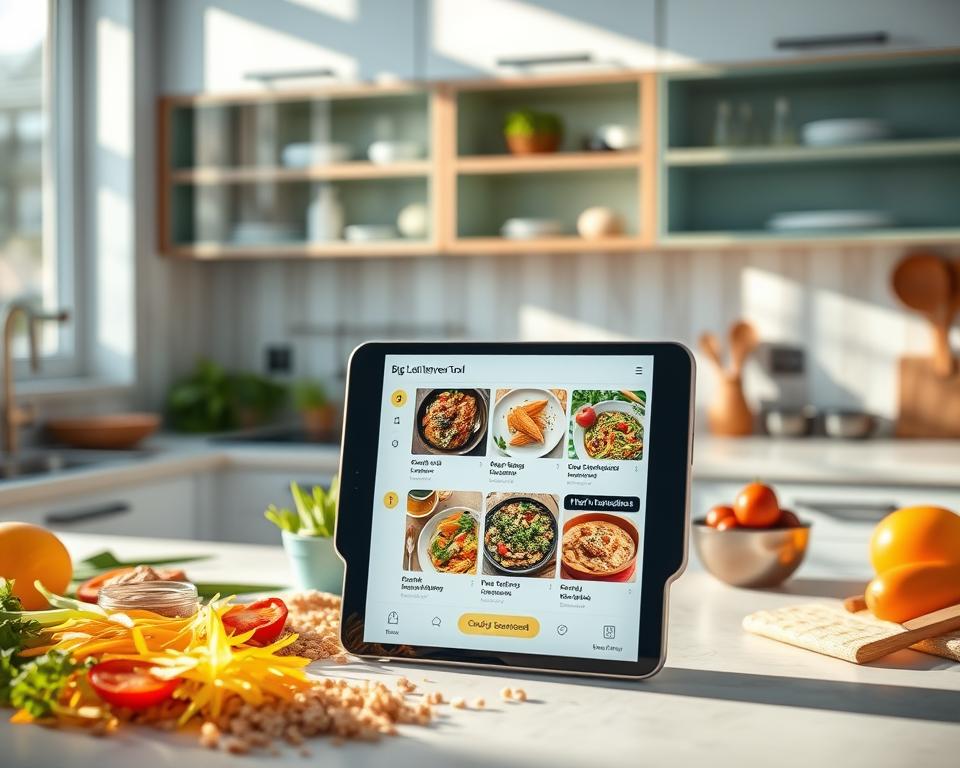
Why it fits you: If cutting food waste matters, BigOven’s huge recipe pool and leftover-focused tools make it easy to reuse ingredients and save money.
| Feature | Free | Pro |
|---|---|---|
| Recipe database size | 1,000,000+ community & blog recipes | Same database with advanced filters |
| Use Up Leftovers | Yes — enter up to 3 ingredients | Yes — faster results with refined search |
| Recipe import | Clipper + 1 free scan | Multiple scans, better organization |
| Grocery list | Shareable list and basic crossing-off | Consolidated lists, exportable, improved sorting |
| Meal planner & folders | No | Yes — calendar planner and custom folders |
MealBoard: best if you’re budgeting and tracking pantry inventory
Want a clear view of what’s in your pantry and how much your weekly shop will cost? MealBoard ties a calendar-based plan to your saved recipes so you see usage and gaps before you shop.
Set up takes a little effort, but once you upload recipes or scan favorites from books and magazines, the app rewards that work with real savings.
- You’ll place recipes on a calendar and generate a precise grocery list linked to those dishes.
- Add item prices manually so you know total cost before checkout.
- Maintain a synced pantry; ingredients used in recipes are deducted automatically to prevent overbuying.
- One small one-time fee replaces recurring subscriptions and keeps ownership simple.
| Feature | What it does | Why it helps |
|---|---|---|
| Calendar planner | Drag-and-drop scheduling | Visual control of your week |
| Grocery list | Auto-generated from scheduled recipes | Fewer forgotten items |
| Pantry sync | Deducts used ingredients | Reduces waste and duplicates |
| Price input | Manual cost tracking | Helps you stay within budget |
If budget and inventory visibility matter to you, MealBoard gives granular control that trims waste and duplicate buys. For other tools worth comparing, see our roundup of the best apps for meal prepping.
Whisk: top free pick for smart lists and community-driven recipes
Whisk bundles recipe imports, basic nutrition, and consolidated shopping lists into a strong free package. You get a robust free version that feels polished and helpful. The app pulls community recipes and your own favorites into one place.
Upload recipes from any site or clipboard, then organize them into folders and weekly slots. Whisk builds a single grocery list from your week so you don’t juggle multiple lists.
- You’ll use smart shopping lists that group items and remove duplicates.
- You can send the grocery list to supported services to speed pickup or delivery.
- Basic nutrition facts appear on each recipe to keep choices mindful.
- Calendar slots make it easy to map out the week and reuse favorite options.
Why pick Whisk: it’s a $0 toolkit with community depth, upload flexibility, and useful integrations—ideal if you want premium-feeling features without a subscription.
| Feature | What it does | Best for |
|---|---|---|
| Free version | Unlimited recipe saves, smart lists, calendar | Budget-conscious users who want core features |
| Recipe import | Clipper or manual upload from any source | People who collect recipes from blogs and social feeds |
| Shopping lists | Consolidated, exportable to grocery services | Shoppers who prefer delivery or pickup |
| Nutrition | Basic per-recipe facts (calories, macros) | Users who want quick nutrition awareness |
Cooklist: pantry, fridge, and freezer tracking to reduce waste
Cooklist helps you know what you already own and what needs to be used first. It tracks items in your pantry, fridge, and freezer and records expiration dates so you can prioritize what to cook before it spoils.
You can manually add groceries or load a shopping list into the app so inventory stays accurate week to week. That makes it easier to plan around what you actually have.
Cooklist will suggest recipes based on your current inventory, drawing from your saved entries or its database. When a dish needs a missing item, the app generates a grocery list to top up just what you need.
- Track inventory: See pantry, fridge, and freezer items with expiration alerts.
- Sync shopping: Load purchase data so counts stay correct.
- Smart suggestions: Get recipe ideas that use what’s on hand.
Some users report occasional bugginess, but if reducing food waste and gaining clearer visibility matters, Cooklist can be a useful tool in your routine.
Feature comparison: planning, lists, nutrition, and delivery options
A quick feature snapshot helps you pick the right tool for lists, nutrition data, and grocery delivery.
Shopping lists and integrations: Mealime and PlateJoy both push a shopping list to Instacart and Amazon Fresh. Eat This Much Premium unlocks auto shopping lists and grocery delivery too.
Nutrition and device sync: Eat This Much has a restaurant and packaged-food database plus a barcode scanner for fast logging. PlateJoy syncs with Fitbit and MealPrepPro links to Apple Health and Apple Watch for macro tracking.
Import recipes vs built-in collections: Paprika excels at import recipes flexibility but lacks a built-in database. BigOven, Prepear, and Whisk rely on large community catalogs if you prefer an off-the-shelf recipe pool.
| Feature | Standout apps | Why it matters |
|---|---|---|
| Shopping list & delivery | Mealime, PlateJoy, Eat This Much (Premium) | Sends lists to Instacart/Amazon Fresh for faster checkout |
| Nutrition & scanning | Eat This Much, PlateJoy | Calories, barcode scans, and wearable syncs keep info accurate |
| Import vs database | Paprika vs BigOven/Whisk/Prepear | Choose control (import) or breadth (built-in recipes) |
- You’ll compare which tools push a shopping list to delivery services and which sync to your calendar.
- You’ll see who provides per-recipe nutrition, barcode scanning, and fitness tracker links.
- You’ll decide whether import flexibility or a large recipe database best fits your plan.
Pricing guide: free versions, paid tiers, and real value
A clear price breakdown helps you pick the right tool without overspending on features you won’t use.
Start by checking what the free version gives you. Whisk and the basic Paprika tier let you save recipes and build a simple list at no cost. Cooklist and Prepear also offer usable free tiers, though some users report occasional bugs with inventory sync.
Paid version features matter when you need extras. PlateJoy charges $69 for six months or $99 per year and adds nutritionist-led plans and Fitbit sync. Eat This Much Premium runs $14.99/month or $5/month billed annually for weekly plans and auto shopping lists.
- One-time vs subscription: MealBoard is a small one-time fee; BigOven ranges up to $25/year while PlateJoy and Eat This Much use subscriptions.
- Budget picks: MealPrepPro is cheap (~$3.99) and adds batch-prep features you’ll use every week.
- Value check: upgrade when the paid plan saves you time on shopping, adds true nutrition tracking, or unlocks unlimited storage you actually use.
| Tool | Free highlights | Paid highlight |
|---|---|---|
| Paprika | Basic free, 50-recipe limit | Upgrade for unlimited storage |
| Mealime | Free quick recipes | Pro adds calories, saved plans |
| Eat This Much | Daily plans free | Premium unlocks weekly plans & lists |
Bottom line: You’ll avoid wasted cost by matching a plan to your habits. If shopping delivery, calorie filters, or unlimited recipe storage matter, a modest subscription often pays for itself. Otherwise, several strong free options cover most needs.
How to choose the right app for your goals
Match your goals to software features so the tool does the heavy lifting for you.
If you want the best option for families
Pick tools that make sharing and social discovery simple.
You’ll prefer Prepear for social feeds and Walmart lists or Whisk for free smart shopping lists. MealBoard helps if you track pantry items and budgets.
If you need a plan for weight loss
Choose apps built for calories and wearable syncs.
PlateJoy offers nutritionist-designed plans and Fitbit sync. Eat This Much gives strict calorie targets and a barcode scanner for accurate tracking.
If you want grocery delivery and automated shopping lists
Look for tight retailer integrations.
Mealime sends lists to Amazon Fresh and Instacart. PlateJoy and Eat This Much Premium also support grocery delivery and auto-generated shopping lists.
Quick checklist
- Decide if you want to import recipes (Paprika) or browse big databases (BigOven, Whisk).
- Factor pantry tracking (MealBoard) or expiry alerts (Cooklist) to cut waste.
- Test a free plan first. Upgrade only when the paid tier saves you real time.
| Goal | Top picks | Why it fits |
|---|---|---|
| Families | Prepear, Whisk, MealBoard | Shared lists, social discovery, budget controls |
| Weight loss | PlateJoy, Eat This Much | Nutritionist plans, calorie targets, barcode logging |
| Delivery & automation | Mealime, PlateJoy, Eat This Much Premium | Sends grocery lists to retailers for fast delivery |
Kitchen meal planning apps: benefits you’ll notice this week
Start your week by turning a few minutes of setup into hours of saved time and less stress at dinnertime.
Time saved, food waste reduced, and budget control
Use these tools and you’ll see real wins within days.
You’ll save hours this week by planning once and sending one consolidated list to delivery or pickup.
- Save time: Send a single shopping list to delivery services instead of making repeat store trips.
- Cut waste: Use-up features like BigOven and expiry tracking from Cooklist so food gets used before it spoils.
- Control cost: MealBoard’s price tracking and pantry deductions help you buy only what you need and stick to a budget.
- Faster cooking: Curated, quick recipes from tools like Mealime reduce hands-on prep and stove time.
- Less stress: Dinner decisions are already made and ingredients are ready, so evenings feel calmer.
| Benefit | What it does | Tool example |
|---|---|---|
| Consolidate lists | One list for pickup/delivery | Mealime |
| Use leftovers | Suggests recipes from what you have | BigOven |
| Track pantry | Deducts used items and tracks prices | MealBoard / Cooklist |
Bottom line: A short setup session turns into an easier week of meals, fewer impulse buys, and less wasted food.
Pro tips to make your first week of meals a win
Make your first week smoother by setting up a few simple defaults that do the heavy lifting for you. A little prep lets you save time, reduce waste, and stay calm on busy nights.
Set preferences, import recipes, and use reminders
Start by picking diet and taste preferences so the tool serves recipes you’ll actually cook. Then import recipes from sites or blogs with clipper tools like Paprika, BigOven, or Whisk to seed your first week.
Use calendar slots in Paprika, Prepear, or MealBoard and add reminders for key prep steps—defrosting, marinating, or pre-soaking—to avoid last-minute scrambles.
Track pantry items and batch cook to stretch ingredients
Keep an inventory in MealBoard or Cooklist so you plan meals around what you already own and cut unnecessary buys. Mark expiration dates and the app will surface what to use first.
Batch cook mains with MealPrepPro on a day you have time, then mix quick sides during the week. Hands-free modes like Mealime’s cook view help you stay focused and mess-free while you finish dishes.
- Set diet preferences so suggestions match your routine.
- Import recipes you love to quickly make a usable plan.
- Use the calendar and reminders to cue prep and avoid late swaps.
- Track pantry items to cut costs and reduce waste of ingredients.
- Batch cook a couple of mains and rely on fast sides for variety.
- Turn on hands-free cook modes to keep your screen usable while cooking.
| Tip | Tool examples | Benefit |
|---|---|---|
| Import recipes | Paprika, BigOven, Whisk | Seed your first week with familiar favorites |
| Calendar & reminders | Paprika, Prepear, MealBoard | Prevent missed prep and simplify execution |
| Pantry tracking | MealBoard, Cooklist | Plan around what you have and cut waste |
| Batch cooking & hands-free | MealPrepPro, Mealime | Save weekday time and keep in-kitchen flow |
Conclusion
Start simple, and pick one tool that fits your top priority—speed, nutrition, budget, or waste reduction. This roundup shows clear winners: Paprika, Mealime, PlateJoy, Eat This Much, Prepear, MealPrepPro, BigOven, MealBoard, Whisk, and Cooklist.
Choose an app that supports your short checklist. Set a single weekly plan and import a few favorite recipes. Try a free tier first and upgrade only when saved plans or delivery automation clearly save you time.
You’ll build momentum by planning one week, using smart lists, and picking dishes you actually want to cook. Do that and you’ll turn meal planning into a habit that saves time, cuts cost, and reduces stress every week.